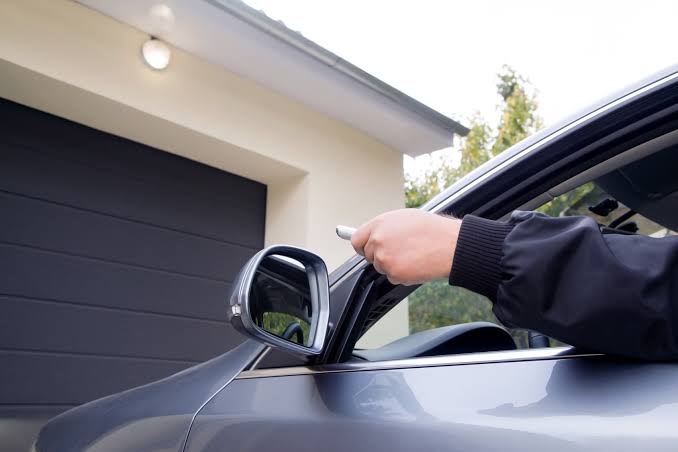
Getting a new garage door remote is exciting, but it will not work until it is paired with your opener. The good news is that programming is usually simple and takes only a few minutes. Whether you have bought a replacement, an extra remote for a family member, or a universal model, this guide from Metro Garage Services walks you through the process safely and clearly.
Before You Begin
A little preparation makes programming smoother and prevents common mistakes.
- Gather your tools: You will need a sturdy ladder, your new remote, and your opener’s manual if you have it.
- Check the battery: Make sure the new remote has a fresh, properly installed battery.
- Clear the area: Park your vehicle outside and keep the door’s path free of people, pets, and objects.
- Identify your opener: Note the brand and model number on the motor unit. Programming steps vary between manufacturers.
Step 1: Locate the Learn Button
Look at the motor unit mounted on your garage ceiling. The Learn button is usually found near the antenna wire, on the back panel, or beneath the light cover. It may be labelled “Learn,” “Smart,” or “Program,” and its colour (purple, red, orange, yellow, or green) often indicates the type of technology your opener uses. Use your ladder carefully and make sure it is stable before climbing.
Step 2: Activate Programming Mode
Press and release the Learn button once. Do not hold it down for a long time, because holding it for around six seconds erases every remote stored in the opener’s memory. After you press it, an indicator light will glow or blink, and a small LED may light up beside the button. You will normally have about 30 seconds to complete the next step.
Step 3: Press the Remote Button
Take your new remote and press and hold the button you want to use. Hold it until the opener lights flash, the bulbs blink, or you hear a click. This signal means the opener has accepted the remote’s code. If your remote has several buttons, repeat the process for each additional button or door you wish to program.
Step 4: Test the Remote
Step away from the door, making sure you can see it clearly. Press the remote button and watch the door move. Test it from different distances, such as inside the garage, at the driveway entrance, and from the street. If it works consistently, programming is complete.
Programming a Universal Remote
Universal remotes follow a similar process, but they often need extra steps, such as selecting a brand code or setting a DIP switch combination. Always follow the instructions supplied with the remote. Also confirm that your opener is on the compatibility list before you begin, since not every universal model supports every system.
Programming from Inside Your Car
Some vehicles have built-in garage door buttons. These usually involve holding the car button and the remote close together until an indicator changes, followed by pressing the Learn button on the opener. The exact sequence depends on the vehicle, so check your car’s manual.
Troubleshooting Common Problems
If your remote does not work after programming, try these quick fixes:
- Timing issues: Repeat the process and press the remote button within 30 seconds of pressing Learn.
- Wrong frequency: Check that the remote matches your opener’s frequency and technology type.
- Weak battery: Replace it with a new one.
- Antenna problems: Make sure the opener’s antenna hangs straight down and is not damaged.
- Interference: Nearby electronics, LED bulbs, or metal objects can reduce signal strength.
Security Tips
If you are replacing a lost or stolen remote, erase all remotes from the opener’s memory by holding the Learn button for about six seconds until the indicator light goes out. Then reprogram every remote you still use. Also avoid leaving remotes in parked cars, and consider using rolling code technology for better protection.
Safety Reminders
- Never stand under a moving garage door during testing.
- Do not open the motor housing, as it contains electrical parts.
- Keep remotes out of reach of children.
- Stop and call a professional if the door behaves unusually.
When to Call Metro Garage Services
Most programming jobs are quick, but sometimes the problem goes deeper. If the remote will not sync after several attempts, the opener is very old, or the door reverses or stops unexpectedly, the issue may involve the receiver or circuit board. In these cases, professional help saves time and prevents further damage.
Metro Garage Services offers fast, friendly remote programming, replacement, and complete garage door repairs. Contact our team today and we will have your new remote working smoothly in no time.
Upgrade your home with a reliable remote garage door opener from Metro Garage Services. Our range offers smooth operation, secure rolling code technology, and convenient control at the touch of a button. Our friendly technicians provide expert advice, fast programming, and dependable installation, all at affordable prices. Contact us today for hassle-free garage access.